
Post-Processing Astro Images

Post-Processing Astro Images
Post-Processing
11 November 2027 to 14 November 2027
Twizel, New Zealand
3 nights / 4 days
Accommodation Included
$ 1,999
4 in stock
4 in stock
Take a deep dive into the image processing techniques that Mike uses in his own post-processing workflows. This workshop is focused on processing nightscape images using Adobe Photoshop, PTGui (for panoramas) and Sequator/Starry Landscape Stacker (for noise reduction).
WORKSHOP OVERVIEW
Capturing data with your camera accounts for only half of the work required to produce great astro images. Post-processing is an essential part of astrophotography. Our Post-Processing Astrophotography Level 1 workshop is an immersive, residential workshop designed to provide you with the tools you need to confidently process your astro nightscape photographs. Our workshop saves you the time and frustration of trawling through countless videos on YouTube hoping to find that one nugget of information you need to unlock the next step in your workflow. Mike will start by breaking down some of the processing workflows behind his own work before further demonstrating the various techniques that he layers together to produce his award-winning photographs. From there, you’ll have the opportunity to practice these same techniques by applying them to your own images (or a selection of raw files that will be available). With capable tuition and guidance from Mike, you’ll be able to have your questions answered in real-time as well as see how Mike would approach your own specific images.
What will I learn?
- Evaluating Images
- Non-Destructive Workflows
- Stacking for Noise Reduction
- Post-Processing using Adobe Photoshop
- Panoramic Image Stitching using PTGui
- Print Considerations
Who is this workshop for?
This workshop is suitable for all photographers. You’ll need to be familiar with the basics of Photoshop as this workshop is not a general “how to use Photoshop” course. Our workshop shows you how to use Photoshop to process astrophotography and builds on your foundational understanding of concepts such as layers and masks to take your images to the next level.
Workshop Itinerary
This workshop is a residential workshop experience with accommodation, breakfasts and lunches included. Each day starts with a Q+A session where we find out all the things that you want to know or have questions about. Our goal, for the end of the workshop, is to have answers to all these questions and confidence in using the tools discussed to achieve the results we want to see. Classroom sessions are held in a specially-designed space located at our private Twizel home.
Day: 1
Our first session starts at 1pm.
Once we’ve taken care of the introductions, we’ll be straight into the course content. For most of the course, we’ll be working inside Adobe Photoshop. This software powerhouse includes a multitude of tools that we can use to take our images further. Please note that a good working knowledge of Photoshop is essential prior to commencing this workshop. The workshop is about using Photoshop to your advantage when processing astrophotography – it is not a beginner-level course on how to use Photoshop. If you do not ordinarily use Photoshop, the techniques demonstrated may still be able to be implemented into your workflow, but this is outside the scope of this course.
These are the topics you’ll be introduced to during the afternoon session.
- Introduction
- Evaluating Images
- Photoshop & Non-Destructive Workflows
- Setting up your workspace: interface, tool layout, colour management (a Photoshop Revision session)
- Stacking for Noise Reduction
Once the formal classroom sessions end for the day, you’ll be able to retire to your accommodation and relax amongst the company of the others attending this course. Weather permitting, we might even have time for a short astro shoot in the early evening.
Day: 2
The previous day’s programme was all about getting us ready to begin the creative process that is post-processing. Having been introduced to a range of tools, today’s programme is about working with those tools to transform your images from raw data into fully-realised images that capture your creative vision. So get ready for a full-on day as we dive deeper into Adobe Photoshop.
- Layers and Masks (a Photoshop Revision session)
- Tone Adjustments
- Blending image elements
- Luminosity Masks
- Colour Adjustments
- Repairs: dust spots, hot pixels, optical defects, noise
- Processing Star Trails
Day: 3
PTGui is considered by many to be the gold standard software for those processing panoramic or mosaic (i.e. multi-row panoramic images). It comes with a range of tools capable of producing high-quality results that are ready for you to process to suit your individual preferences and style. We will be looking at how PTGui can improve your astrophotography work by producing accurate, realistic Milky Way panoramas that are more true-to-life representations of the night sky than much of the work seen on social media these days. We’ll also find out how to give PTGui a helping hand when it comes to more complex images such as those featuring nothing but a star field with no recognisable landmark in the frame.
- PTGui workspace
- Stitching a simple single-row panorama
Once you’ve had a chance to try out the basics, we’ll further explore the feature set of PTGui as we learn about:
- Control Points
- Projection Methods
- Multi-Row images
Day: 4
The programme for our last day together starts with an opportunity for you to process your own work utilising the skills you’ve learned over the previous three days.
After lunch, our final session is all about printing. We’ll take one of your selected images and walk you through the process of making the image ready for print. Once that’s completed, Mike will print your work as a fine-art archival-quality print in his studio. Printing is a key component of the photographic process and printing your work provides you with a tangible record of the progress you’re making in your own personal photographic journey.
The workshop concludes at approximately 3 p.m.
WHAT MIGHT I SEE IN THE NIGHT SKY?
- Milky Way arch above western horizon.
- Matariki / M45 Pleiades.
- Southern Cross Region low on southern horizon.
- Magellanic Clouds.
ABOUT YOUR INSTRUCTOR
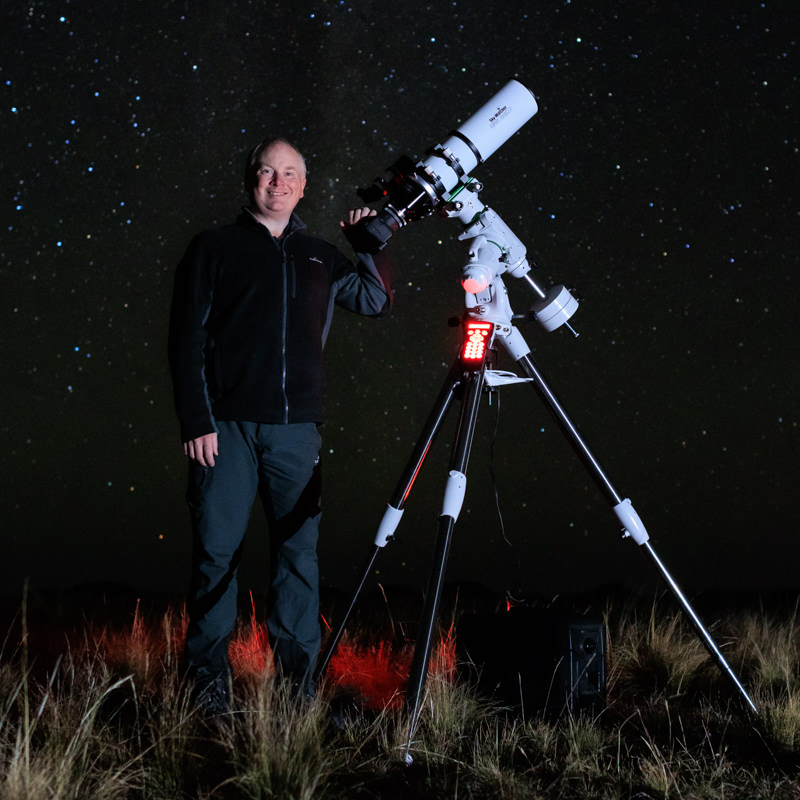
Mike White is a full-time professional astrophotographer and educator based in Twizel in the beautiful Mackenzie Country region of New Zealand. Mike’s had a lifelong interest for all things astronomy and space and is passionate about sharing that knowledge with you.
A former airline pilot and flight instructor, Mike also holds a National Certificate in Adult Education and Training Level 4. With decades of experience in teaching others, Mike creates a relaxed learning environment and breaks down technical jargon into easy-to-understand concepts. Mike will work with you to ensure you have a positive learning experience and that you leave the workshop feeling newly inspired to continue your photographic journey under the stars.
ADDITIONAL INFORMATION + FAQ
Package Inclusions
- Guided tuition by Mike White MNZIPP APSNZ.
- Printed set of workshop notes.
- An A3 archival-quality print.
- Accommodation at a private Twizel property (with your own queen/king bedroom and shared bathroom.)
- Daily breakfast provisions.
- Morning & Afternoon Tea.
- Catered lunch.
- Transport for any field trips during the workshop.
Package Exclusions
Please note that the following expenses are not covered in your workshop package:
- Transport to and from Twizel.
- Insurance.
- Camera equipment. (A range of equipment can made available, please check before booking your space on this workshop if you aren’t sure.)
- Computer equipment.
Accommodation
Our workshop home base is at a private Twizel property located near the historic Ben Ohau Station. The property is exclusively ours for the duration of the workshop. Each participant will have their own space to relax in with a private room with either a King or Queen bed. Our location is a very modern 4 bedroom home with plenty of space, large living areas and views across the Mackenzie basin. We have heat pumps and an indoor fireplace for year-round comfort. A full kitchen is available for any meal preparation and the property includes two bathrooms. WiFi available.
Your partner is welcome to stay with you for the duration of the workshop however they will be responsible for paying any additional charges.
Transport
You will need to arrange your own transport to and from the workshop. Comfortable SUV transport will be provided during the workshop in the event that we head out on a short field trip.
By Road:
Drive times (approx.)
- Christchurch Airport to Twizel: 3h 45m
- Queenstown Airport to Twizel: 2h 30m
- Twizel to Lake Pukaki: 10m
- Twizel to Lake Tekapo: 45m
- Twizel to Aoraki/Mount Cook Village: 45m
Please be aware that Twizel’s high country location means that there are hills and winding sections of roads to navigate from either direction. In winter months especially, snow and ice can cover roads. Visit Waka Kotahi: NZ Transport Agency (https://nzta.govt.nz/traffic-and-travel-information/) to plan your trip with travel time information, traffic cameras and updates on delays, roadworks and road closures.
By Air:
The region can be accessed through a number of airport gateways. New Zealand’s international airports are located in Auckland, Wellington, Christchurch and Queenstown. Christchurch and Queenstown are the closest to the Mackenzie region. Charter flights are possible to the four Mackenzie-based airports located at: Lake Pukaki (next to Twizel township), Glentanner, Aoraki/Mount Cook, and Lake Tekapo.
Meals
Breakfast provisions will be made available daily for you to enjoy breakfast at your leisure. You will be sent a link to a Client Information form once you have reserved your space on the workshop. Please note any dietary requirements or requests on this form before attending the workshop.
Morning & Afternoon Teas, and Lunch, will be provided daily. Dinner will be provided on the Friday evening. Your accommodation has excellent kitchen facilities for other meal preparations. Twizel has two 4 Square supermarkets and numerous other takeaway and dine-in meal options. Please ensure you plan your meals around any briefed workshop time requirements.
Group Sizes
Our workshops are designed to maximise the learning opportunities for each participant and run with a maximum group size of 1 instructor and 4 students.
This gives us lots of time to spend with you, personally ensuring you get whatever guidance or assistance you need as you progress through the workshop.
Our workshops aren’t about the instructors taking their own portfolio images, so rest assured you’ll have our full attention.
How fit do I need to be?
As a residential workshop, field trips are not the key focus of the timetable. If time and weather conditions permit, we may head out for a short trip to a local destination.
Generally, field trip locations will be selected to match the needs of the group. We have a range of locations available that can be accessed directly from our vehicle for those who would prefer to not walk too far. A reasonable level of physical fitness is still necessary to participate in and enjoy the workshop. You must be able to carry your own equipment to and from the vehicle.
Any concerns you have about your health, including any relevant pre-existing medical conditions, will need to be disclosed to Mike White Photography before your workshop commences.
Participants should be prepared for walking on undulating terrain, uneven ground, or loose stones / gravelly surfaces. Snow and/or ice may also be present on formed tracks.
What gear will I need?
Our workshops are designed for photographers using DSLR or Mirrorless Interchangeable Lens cameras. While smartphone technology is advancing rapidly, these devices do not yet provide the quality or creative experience offered by a dedicated camera system.
It is essential for your own safety and enjoyment of this workshop that you have appropriate clothing and the correct equipment for working in the outdoors.
Once you have reserved your space on the workshop, a Recommended Clothing and Equipment list will be sent to you.
If you are in doubt about any of the clothing or equipment required, please contact us to discuss further before the commencement of your workshop.
Post-Processing Astrophotography Masterclass:
You’ll need to have a portable computer available to fully participate in this Masterclass. Even if you normally edit with a desktop computer, you’ll find a laptop helpful to allow you to follow through and practice post-processing techniques during the workshop. A laptop is a handy travel companion for when you want to review and edit images on the road.
Working with multiple layers and large files can be rather demanding on your computer’s resources, so if you feel like your computer is lagging behind, it might be time to treat yourself to something more capable. Mike is happy to offer advice on an individual basis at any time.
You will need access to the following software during the workshop:
- Adobe Lightroom Classic (free trial available.)
- Adobe Photoshop (free trial available.)
- Starry Landscape Stacker (Mac only. Please note this is paid software.)
- Sequator (Windows only. Free software.)
- PTGui (free trial available – full functionality with watermarked images.)
Please check all your software is up-to-date just before attending the workshop to gain full benefit from post-processing tutorials (and minimise time spent downloading updates!)
What about the weather?
As a residential workshop, our scheduled learning sessions all take place in the comfort of an indoor venue. We reserve the right to make any changes to the workshop programme as a result of the weather. The safety of the whole group is our priority and will guide all decision-making.
Insurance
We strongly recommend that you obtain travel insurance cover for this workshop. You are responsible for ensuring this policy provides adequate cover for unforeseen circumstances that may arise and prevent you from attending or completing the workshop such as: travel delays, workshop cancellation by us, natural disaster, medical directives (e.g. Covid), transport strikes or medical emergencies. We also strongly recommend that you have adequate insurance for the loss of, or damage to, your equipment.
Booking & Payment
Multi-Day Workshops
To reserve your place on this workshop, you will be required to pay a non-refundable deposit of NZ$500. You can also choose to pay the full fee in advance. The balance of payment is due no later than 28 days prior to the start of your workshop. Your payment (less the non-refundable deposit) remains fully refundable until 28 days before the workshop commencement date.
Payment Methods:
When you proceed through to the checkout, you can opt to pay through Direct Bank Transfer (internet banking) or by Credit/Debit card. Card payments are securely handled by our third-party Online Payment Processor, Stripe.
Terms & Conditions
Please read through our full Terms and Conditions document available here.
By completing the booking process, it means you have read, understood and agree to all the terms and conditions outlined in this document.
READY TO BOOK?
We can’t wait to help you on your astrophotography journey, so if you’re ready to come and have an incredible experience with us, please reserve your space by adding this workshop experience to your cart at the top of the page.
Once your deposit payment has been received, we’ll be in touch to make sure we get all the details taken care of before your workshop experience begins.